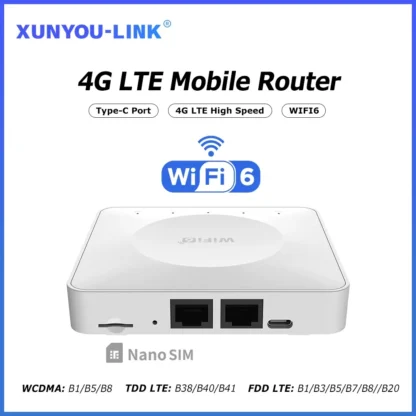
Powerful 4G LTE Router – 300Mbps WiFi, LAN and SIM Modem
Key Features
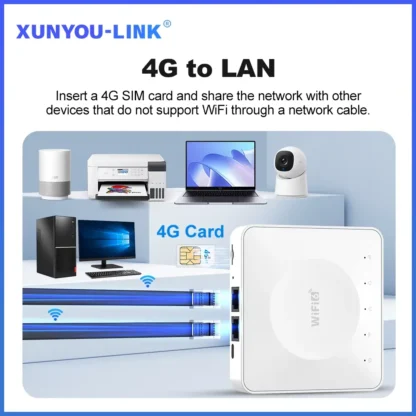
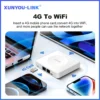
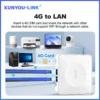
- 4G to Wifi and 4G to LAN: Use the stated WiFi and app monitoring
options. - 300 Mbps 2.4 Ghz Wifi: View current monitoring and historical graph
information. - Firewall and VPN Support: Review the exact information supplied for
this item. - FDD LTE, TDD LTE, and WCDMA: Compare the stated features before
purchase. - FOTA Remote Upgrade Support: A:*Connect a computer to the LAN port
via network cable.
Item Specifics
How to Use
Important Note
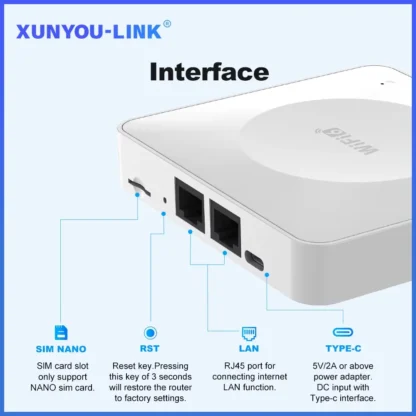
The router's speed parameters are laboratory-tested theoretical values. Actual network speeds vary based on signal strength, interference, and carrier conditions. For real-time speed data, check the web management interface homepage. The SIM card slot may be either Micro or Nano depending on inventory; a card adapter is included if you receive the Micro version.
Care Instructions
- Place the router near a window or in an area with strong cellular signal to optimize network speed and reduce interference from obstacles like microwaves, refrigerators, and thick walls.
- If you forget your username or password, press and hold the reset button on the device for 10 seconds while powered on, then release to restore factory default settings.
- After configuration changes, reboot the router and reconnect to WiFi.
Perfect For
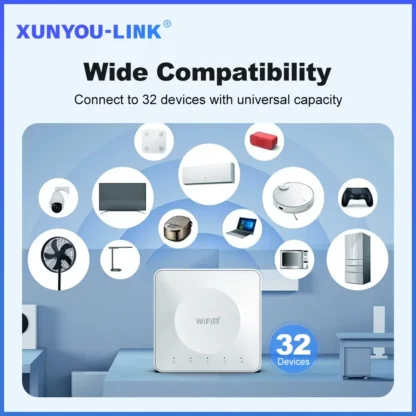
Up to 32 Devices
Connect up to 32 devices to the router.
Real-Time Speed Data
Check real-time speed data on the web management interface homepage.
2.4 GHz WiFi
The theoretical 2.4 GHz WiFi speed is 300 Mbps.
Home Buyers
Helpful for practical product use at home.
LAN Connectivity
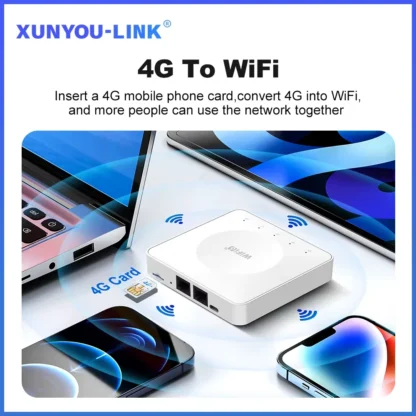
Supports converting a 4G connection to WiFi or LAN.
Frequently Asked Questions
What is the router's maximum speed?
The maximum theoretical wireless WiFi speed is 300 Mbps on the 2.4 GHz band. FDD-LTE offers 150 Mbps downlink and 50 Mbps uplink, while HSPA+ offers 21 Mbps downlink and 5.76 Mbps uplink. Actual speeds vary due to signal strength, interference, and carrier conditions.
Is it compatible with any SIM card?
The router supports full-frequency coverage in Europe, Asia, and Africa and works with standard SIM cards from all carriers. It does not support contract-bound SIM cards that are locked to specific devices or inactive. Verify band compatibility using the router's supported frequency list. Using mainstream SIM cards from large carriers is recommended to minimize manual configuration.
How do I reset the router if I forgot my username and password?
Press and hold the reset button on the device for 10 seconds while it is powered on, then release the button. This restores the router to factory default settings, allowing you to reconfigure access credentials.
Why can't I find the router's WiFi signal?
Connect a computer to the LAN port via a network cable, log in to the router's management interface, navigate to Advanced Settings > WLAN Settings > WLAN Basic Setup, and ensure the WLAN function is enabled. If no computer is available, reset the router by holding the reset button for 10 seconds.
The router lights are on with data transmission, but the speed is slow. What should I do?
Network speed can vary due to peak-hour congestion or signal interference in crowded areas. To optimize speed, place the router near a window or in a strong signal area, avoid obstacles or interference sources such as microwaves and thick walls, and reduce the distance between your devices and the router.
Can I modify the IMEI number?
Yes. Log in to the router backend (WEBUI), enter http://192.168.1.1/sid.html in the browser address bar, press enter, input the IMEI number you want to change, and click SET. If the change is successful, it will prompt OK.
Customer Reviews
No reviews yet
Be the first customer to share your experience with this product.
Only signed-in customers who purchased this product may leave a review.