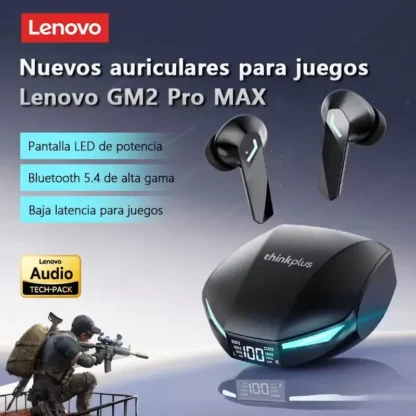






Lenovo XT53 Wireless Earbuds with Bluetooth 5.4, LED Battery Display and 45ms Gaming Mode
Key Features
- Bluetooth 5.4: Provides a stable true wireless connection with a working distance of at least 10 m.
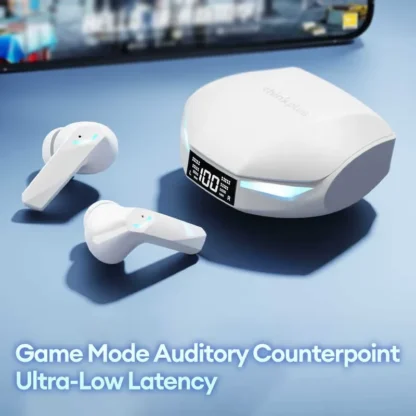
- 45 ms Game Mode: Reduces audio delay to help synchronise sound and visuals during gaming.
- LED Power Display: Shows the charging case's remaining battery level at a glance.
- Dynamic Sound: A 10 mm PEEK composite-membrane driver supports deep bass and extended high frequencies.
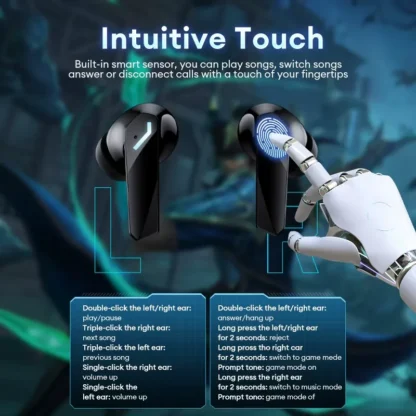
- Touch Controls: Manage playback, tracks and calls using the built-in touch sensors.
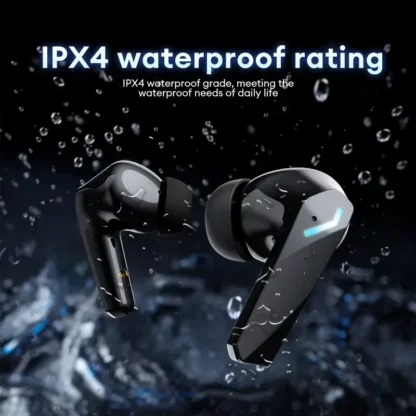
- IPX4 Water Resistance: Helps protect the earbuds against sweat and light rain during everyday use.
Item Specifics
How to Use
Important Note
Active noise cancellation is not included. Audio delay can vary with the environment, network and connected device codec.
Care Instructions
- Read the supplied user manual carefully and keep it for future reference.
- Recharge the earbuds if they have remained unused for more than two weeks.
- Use a charger made by a qualified manufacturer and keep the earbuds protected from more than light rain or sweat.
Perfect For
Mobile Gaming
Use the 45 ms game mode to help keep game audio and on-screen action in sync.
Music Listening
Enjoy true wireless playback with dynamic drivers and a 20 Hz–20 kHz frequency response.
Voice Calls
Manage calls by touch and speak through the built-in microphone.
Office Use
Listen and take calls wirelessly within the supported working distance.
Sports
The portable in-ear design and IPX4 resistance suit workouts, sweat and light rain.
Frequently Asked Questions
Do the earbuds reconnect automatically?
Yes. After the initial pairing, they automatically reconnect to the previously paired device.
How long does charging take?
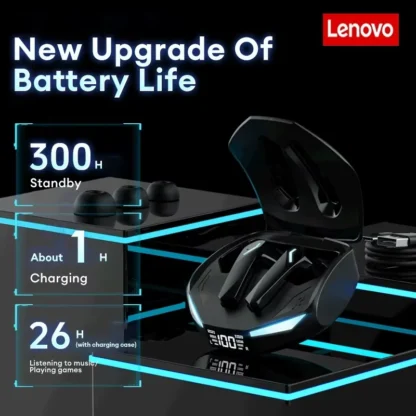
The earbuds take about one hour to charge, while the charging case takes about 1.5 hours.
How long do the earbuds play per charge?
The stated usage time is about five hours on a single charge.
What should I do if only one earbud has sound?
Return both earbuds to the case, close the cover, then remove them and test again. Restore both earbuds if needed.
What should I do if my phone cannot connect?
Delete the existing pairing record, search for the earbuds again and repeat the pairing process.
What can cause intermittent sound?
Nearby Wi-Fi, mobile signals or high-power electrical appliances may cause interference. Move location or pair again.
Customer Reviews
No reviews yet
Be the first customer to share your experience with this product.
Only signed-in customers who purchased this product may leave a review.