Tuya ZigBee smart knob switch – Wireless Scene Button & Rotary Dimmer Controller

⚙
Smart Knob Scene SwitchTuya ZigBee smart knob switch
✅
Scene Click ControlsSingle or double-click scene control
🌡
Four Remote OperationsPress, rotate and long-press control
🔋
CR2450 Battery IncludedPowered by a 3V battery
📶
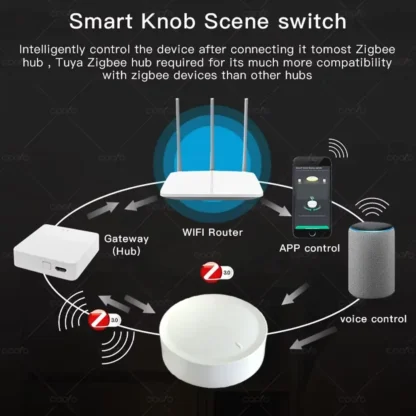
Tuya Gateway RequiredDoes not connect to WiFi directly
📦
Operating Temperature-10°C to 55°C working range
Free Delivery
Arrives: 2 Oct – 5 Oct
Cart
In Stock
Online Store
GuestCheckout
GuestCheckout
Total Price
£9.98
GuestCheckout
SECURE PAYMENT OPTIONS
PayPalPay Later
KlarnaPay in 3
Clearpay4 Payments
VisaDebit
Mastercard
ApplePay
GooglePay
SamsungPay
Shop With Confidence
300+ Customers
14-day returns
Tuya ZigBee Smart Knob
Scene control and ZigBee light dimming
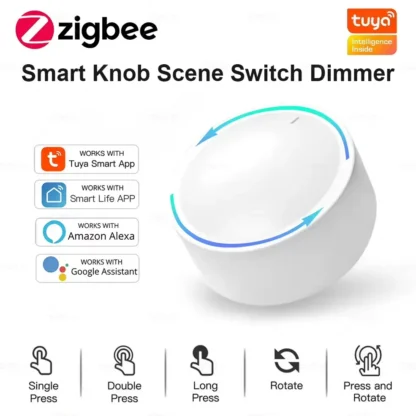
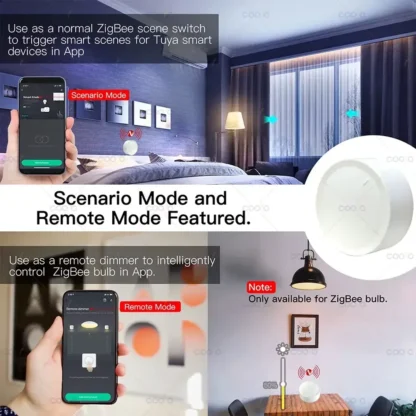
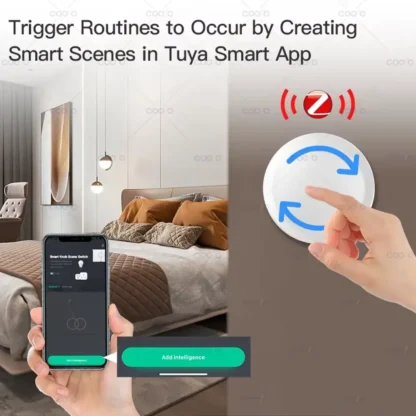
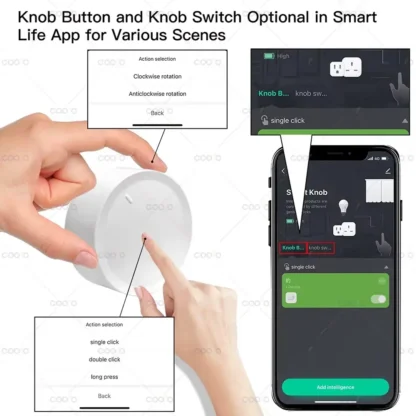
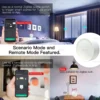
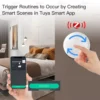
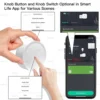
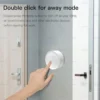
Control Tuya ZigBee smart devices with a knob designed for scene activation and lamp adjustment. In scene mode, the wireless scene button can trigger assigned actions with a single or double click, so saved automations can start without opening the Tuya Smart or Smart Life app. Switch to remote mode with three fast clicks to control a compatible ZigBee bulb: press once for on or off, rotate for normal dimming, press while rotating to adjust colour temperature, or hold for more than three seconds to set colour. The ZigBee rotary dimmer runs on the included CR2450 3V battery and connects through a Tuya ZigBee gateway rather than Wi-Fi. It also supports Zigbee2MQTT, works from -10°C to 55°C, and has a standby current of no more than 8uA.

Key Features

  • Two Operating Modes: Switch between remote and scene modes with three fast clicks.
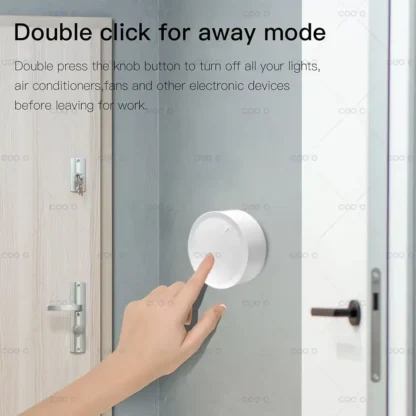
  • Scene Activation: Trigger configured scenes with a single or double click in scene mode.
  • Lamp Switching: Press once in remote mode to turn a compatible ZigBee bulb on or off.
  • Brightness Control: Rotate the knob in remote mode to adjust normal dimming.
  • Colour Temperature: Press and rotate the knob to adjust a compatible bulb's colour temperature.
  • Colour Control: Press for more than three seconds in remote mode to set the bulb colour.
Tuya ZigBee Smart Knob Tuya ZigBee Smart Knob
Tuya ZigBee Smart Knob

Item Specifics

Product Type: Tuya Zigbee smart knob scene switch
Brand: coolo
Model: ZigBee Smart Knob Switch
Switch Type: Knob switch
Material: Plastic
Smart Platform: Tuya
App Compatibility: Tuya Smart or Smart Life; ZigBee gateway required
Wireless Protocol: Tuya Zigbee or z2m, using ZigBee 3.0
Power Supply: CR2450 battery, 3V DC
Battery Included: Yes, CR2450
Working Voltage: 3V
Standby Current: ≤8uA
Rated Current: 1A
Working Temperature: -10°C to 55°C
Working Humidity: ≥90%
Gateway Requirement: Requires a ZigBee gateway
Additional Support: Zigbee2MQTT
Certifications: UL, RoHS, LVD and CE
High-Concerned Chemical: None
Origin: Mainland China

How to Use

How to use
1
Connect the Gateway: Use the knob with a Tuya ZigBee gateway; it cannot connect directly to Wi-Fi.
2
Add the Knob: Add the knob switch to the Tuya ZigBee gateway through the Tuya Smart or Smart Life app.
3
Select a Mode: Press three times quickly to change between remote mode and scene mode.
4
Control Devices: Use clicks for scenes, or control a compatible ZigBee bulb with presses, rotation and press-and-rotate actions.

Important Note

This device cannot work alone or connect directly to Wi-Fi. Normal use requires compatible Tuya smart devices and a Tuya ZigBee gateway. Only ZigBee lamps can be added for lamp control.

Care instructions

Care Instructions

  • Operate only within the stated temperature range of -10°C to 55°C.
  • Use the specified CR2450 3V battery.
  • Use the switch with a Tuya ZigBee gateway; do not expect direct Wi-Fi operation.

Perfect For

Smart Scene Access

Start configured Tuya smart scenes without opening the phone app.

ZigBee Bulb Switching

Turn a compatible ZigBee bulb on or off with a single press.

Brightness Adjustment

Rotate the knob to adjust normal dimming in remote mode.

Colour Temperature

Press and rotate to change a compatible bulb's colour temperature.

Colour Selection

Use a press longer than three seconds to set colour in remote mode.

Frequently Asked Questions

Does this switch work by itself?

No. It requires compatible Tuya smart devices and a Tuya ZigBee gateway for normal use.

Can it connect directly to Wi-Fi?

No. The supplier states that it cannot work directly with Wi-Fi.

Which apps support it?

It supports the Tuya Smart and Smart Life apps when used with a ZigBee gateway.

Can it control any light bulb?

No. Only a compatible ZigBee lamp can be added for lamp control.

How do I change operating modes?

Press the knob three times quickly to switch between remote mode and scene mode.

Is the battery included?

Yes. The supplier specifies an included CR2450 battery operating at 3V.

Real customer feedback

Customer Reviews

☆☆☆☆☆

No reviews yet

Be the first customer to share your experience with this product.

Only signed-in customers who purchased this product may leave a review.

Product details

Product compliance information

Manufacturer information
Name:Shenzhen New Green Energy Technologies Co ltd
Address:A3-303, Xuexiang Park, Bantian Street, Longgang District, Shenzhen, 518129, China
Email:coolo@outlook.com
Phone:13760160006

EU responsible person information
Name:eVatmaster Consulting GmbH
Address:Raiffeisen Street 2 B11, 63110 Rodgau, Hessen, Germany
Email:contact@evatmaster.com
Phone:6995179070